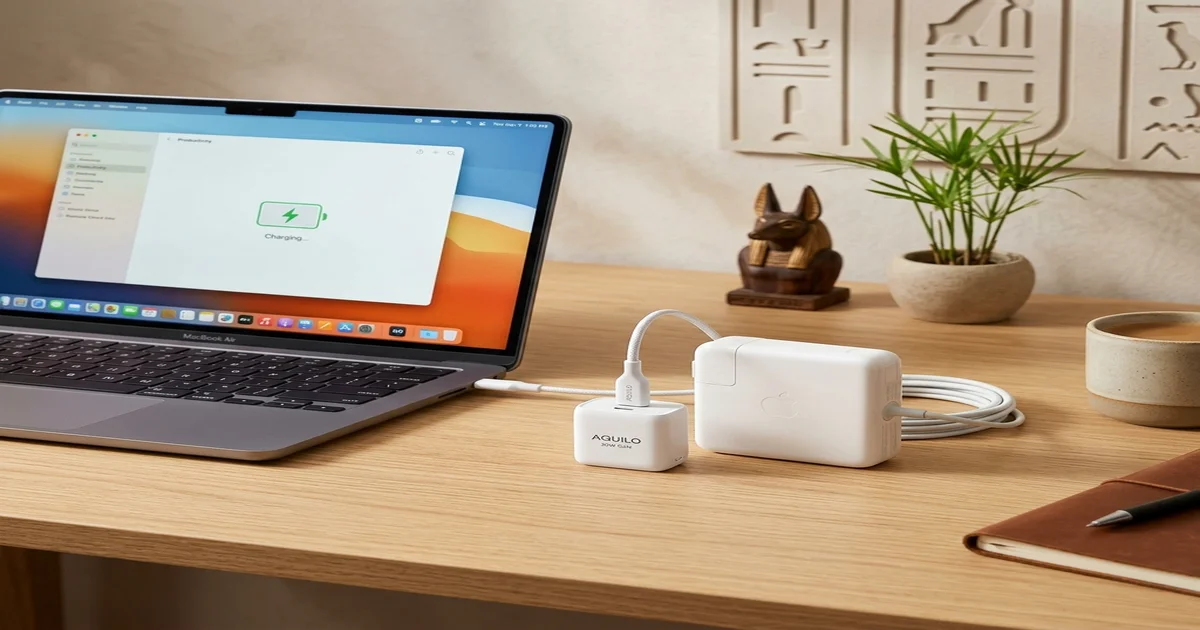
Few moments feel worse than watching your MacBook warn you about one percent battery while the charger in your hand refuses to fit. Apple has changed connectors, cables, and power ratings repeatedly over the years, which leaves many owners guessing about what to plug in. Understanding macbook charger types turns that guesswork into a quick, confident decision. This guide explains every connector Apple has used, how wattage affects charging speed, how to identify your own adapter, and how to buy a safe replacement without overspending or risking your battery.
Why MacBook Charger Types Matter
Your charger does far more than deliver electricity. It controls how fast your battery refills, how much heat builds up, and how long the battery stays healthy over the years. A mismatched adapter may supply too little power, so the laptop slowly drains even while plugged in, especially during video calls, editing, or gaming. Learning the main macbook charger types helps you avoid that frustration and buy the correct adapter the first time, saving both money and the stress of returns.
Every generation of MacBook also asks for a different amount of power. A slim MacBook Air sips energy during everyday browsing, while a 16-inch MacBook Pro running demanding creative software can draw several times more. Apple’s connector changes add another layer of confusion, because an adapter that suits a laptop from 2013 simply will not fit one from 2023. Checking your exact model and year before shopping is the simplest habit that prevents almost every compatibility mistake people make.
MagSafe Chargers From Generation One to Three
MagSafe 1 arrived in 2006 and gave Apple laptops a signature feature: a magnetic connector that snapped into place and released safely if someone tripped over the cable. It came in two shapes, an L-shaped version and a T-shaped version, depending on the model. This design protected both the laptop and the port from damage. Today it is considered a legacy standard, found mostly on older machines, so replacement adapters usually come from used markets or third-party sellers rather than from Apple directly.
MagSafe 2 followed in 2012 with a thinner, wider connector built for slimmer laptops. Although it looks very similar to the first generation at a glance, the two are not directly interchangeable without an official converter, which catches many buyers off guard. Many MacBook Air and Retina MacBook Pro models from that period still work well today, and their owners often need a spare adapter. Always compare the connector shape carefully before ordering, because the difference between the two designs is subtle in product photos.
MagSafe 3 returned in 2021 on the redesigned MacBook Pro and later joined select MacBook Air models. The laptop end is magnetic again, while the adapter side uses a USB-C connection, so the cable works with modern power adapters. On compatible models it also supports fast charging, which refills the battery quickly when you are short on time. It combines the easy detachment people loved with modern power delivery, which makes it one of the most convenient macbook charger types available today.
USB-C Chargers and Power Delivery
USB-C charging entered Apple’s lineup with the 12-inch MacBook in 2015 and then spread across the MacBook Pro and MacBook Air families. A single oval port handles power, data, and video, which means one adapter can often charge a laptop, a tablet, and a phone. That flexibility is why many travelers and students prefer it, since carrying fewer cables lightens the bag and simplifies life. Among all macbook charger types, USB-C is the one most likely to stay compatible with future devices.
One detail deserves attention: not every USB-C charger is equal. Charging a MacBook relies on USB Power Delivery, so the adapter must support that standard and provide enough wattage for your model. A small phone charger may technically work but charge a laptop painfully slowly, or fail to keep up under heavy use. A properly rated USB-C power adapter paired with a quality cable avoids these problems and keeps the laptop charging at a healthy, steady pace.
Wattage Made Simple
Wattage describes how much power an adapter can deliver, and it is the number buyers overlook most often. Apple has shipped chargers across a wide range, commonly including 30W, 35W dual-port, 61W, 67W, 70W, 96W, and 140W options. As a general rule, lightweight laptops pair with lower numbers while powerful Pro models need higher ones. Your original adapter prints its wattage in small text on the body, which makes it easy to confirm what your laptop shipped with.
The safest guideline is simple: a higher-wattage charger is fine, because your MacBook draws only the power it needs. A lower-wattage charger, however, may charge slowly or struggle to keep pace when you run demanding apps. Because Apple adjusts specifications with new releases, confirm the recommended wattage for your exact model in Apple’s official documentation before buying. This quick check protects your battery, saves money, and ensures every charging session is as fast and efficient as your hardware allows.
How to Identify and Choose the Right Charger
Identifying your charger takes only a few minutes. First, look at the connector: a magnetic end points to a MagSafe generation, while an oval plug indicates USB-C. Next, read the wattage printed on the adapter body. Then open About This Mac or check the serial information to confirm your model and year. Finally, compare those details with Apple’s guidance. Following this sequence makes the different MacBook adapters easy to tell apart, even for older chargers that look almost identical at first glance.
Once you know what you have, choosing a replacement becomes straightforward. Match the connector and wattage first, then think about portability, cable length, and whether one adapter should serve several devices. Compact GaN chargers deliver high power in a smaller body, which suits travel. Buy from trusted sellers with clear return policies, and treat deals that seem too good to be true with caution. A slightly higher upfront cost usually costs far less than replacing a battery damaged by a poor adapter.
Official and Third-Party Chargers
Apple’s own chargers offer dependable build quality, rigorous safety testing, and guaranteed compatibility. The tradeoff is price, which can feel steep for what looks like a simple adapter. If you want zero guesswork and long-term peace of mind, an official charger is the safest route, especially for newer MagSafe 3 models. Official adapters also tend to hold their performance over time, which matters when your laptop is your daily workhorse for study, business, or creative projects.
Third-party chargers can be excellent value when they come from reputable brands and carry proper safety certification. Look for clear markings, accurate wattage claims, and consistent reviews from recent buyers. Avoid unbranded or suspiciously cheap options, because counterfeit adapters can overheat, damage the battery, or even create a fire risk. If a charger feels unusually light, runs very hot, or lacks certification marks, return it immediately and choose a trusted alternative instead of gambling with your laptop and your safety.
Fixing Common Charging Problems
When a MacBook stops charging, start with the basics. Inspect the cable for fraying or bent connectors, clean the port gently with a dry, non-metallic tool, and test a different wall outlet. Restarting the laptop can also clear temporary glitches that make it seem as though the charger has failed. These simple checks resolve a surprising number of complaints and cost nothing, so they are worth trying before you buy a new adapter or book a repair.
Slow charging often points to a low-wattage adapter or a worn cable, while an unusually hot charger may signal a failing unit. If the problem continues after testing another known-good charger, contact Apple Support or an authorized repair provider. Never keep using an adapter that smells burnt, looks damaged, or makes buzzing sounds. Replacing a questionable charger is far cheaper than repairing a laptop, and it keeps both your device and your home safer for everyone.
Conclusion
MacBook charging has evolved from the magnetic MagSafe 1 and MagSafe 2 designs to universal USB-C and the modern MagSafe 3. The key to a good purchase is matching both the connector and the wattage to your specific model. Once you understand macbook charger types, shopping becomes quick and stress-free, and you can confidently ignore products that simply do not fit your laptop or your everyday charging needs.
Before your next purchase, confirm your model and year, check the wattage, and choose an official or well-certified charger. That small amount of preparation protects your battery, saves money, and keeps your MacBook powered whenever inspiration strikes. Bookmark this guide, because it should be updated whenever Apple releases new hardware, so you can always return for fresh compatibility and wattage details. A confident charger choice today means fewer headaches tomorrow and a longer, healthier life for the machine you depend on.
You may also read: Harleen Deol
Frequently Asked Questions
What are the main MacBook charger types?
There are four main types: MagSafe 1, MagSafe 2, MagSafe 3, and USB-C. Each belongs to a different era of MacBook models, with MagSafe 1 and MagSafe 2 on older machines and USB-C and MagSafe 3 on newer ones. Because the connectors differ in shape and power delivery, always check your laptop’s model and year before buying. Doing so ensures the adapter physically fits and supplies enough wattage for steady, efficient charging every day.
Is a higher-wattage charger safe for my MacBook?
Yes, in general. Your MacBook draws only the power it needs, so a higher-wattage adapter will not force extra electricity into the battery. The real risk runs the other way: a lower-wattage charger may charge slowly or fail to keep up during heavy tasks like video editing. For best results, match the wattage Apple recommends for your model, or choose a slightly higher rating from a reputable, certified brand that supports USB Power Delivery.
Can I charge my MacBook with an iPhone or iPad charger?
Sometimes, but it is rarely ideal. A small phone or tablet adapter usually delivers far less power than a laptop expects, so charging can be extremely slow, and the battery may even drain during demanding use. If the adapter supports USB Power Delivery and offers enough wattage, it can work well. Otherwise, use a charger rated for laptops, which keeps charging fast, stable, and much kinder to your battery over the long term.
Are third-party MacBook chargers safe to use?
Reputable, certified third-party chargers can be a safe and affordable choice, especially compact GaN models from established brands. The danger comes from unbranded or counterfeit adapters that skip safety testing and may overheat or damage your battery. Before buying, check for recognized certification marks, accurate wattage details, and recent customer reviews, and purchase from sellers with clear return policies. If a charger feels unusually hot or behaves strangely, stop using it immediately and replace it.